
FiveM server developers
Inspect vehicle packs, fix metadata, standardize framework entries, and export clean resources before they reach production.
Edit, optimize, merge, split, and package FiveM vehicle resources on Windows with visual tools for metadata, handling, YTD textures, YFT models, audio, and RPF archives.
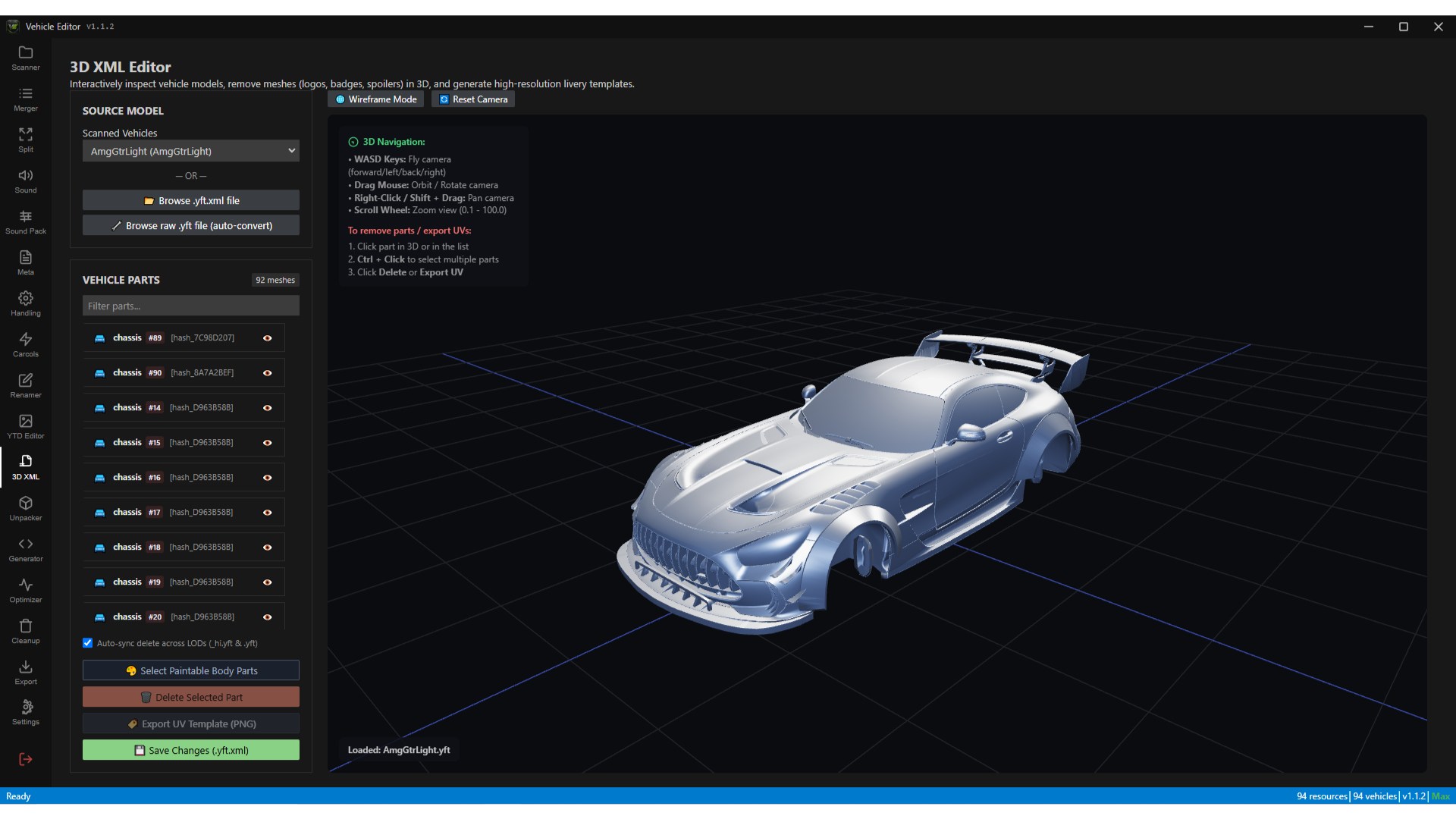
Inspect meshes, sync LOD deletes, remove badges or spoilers, and export UV templates for liveries.
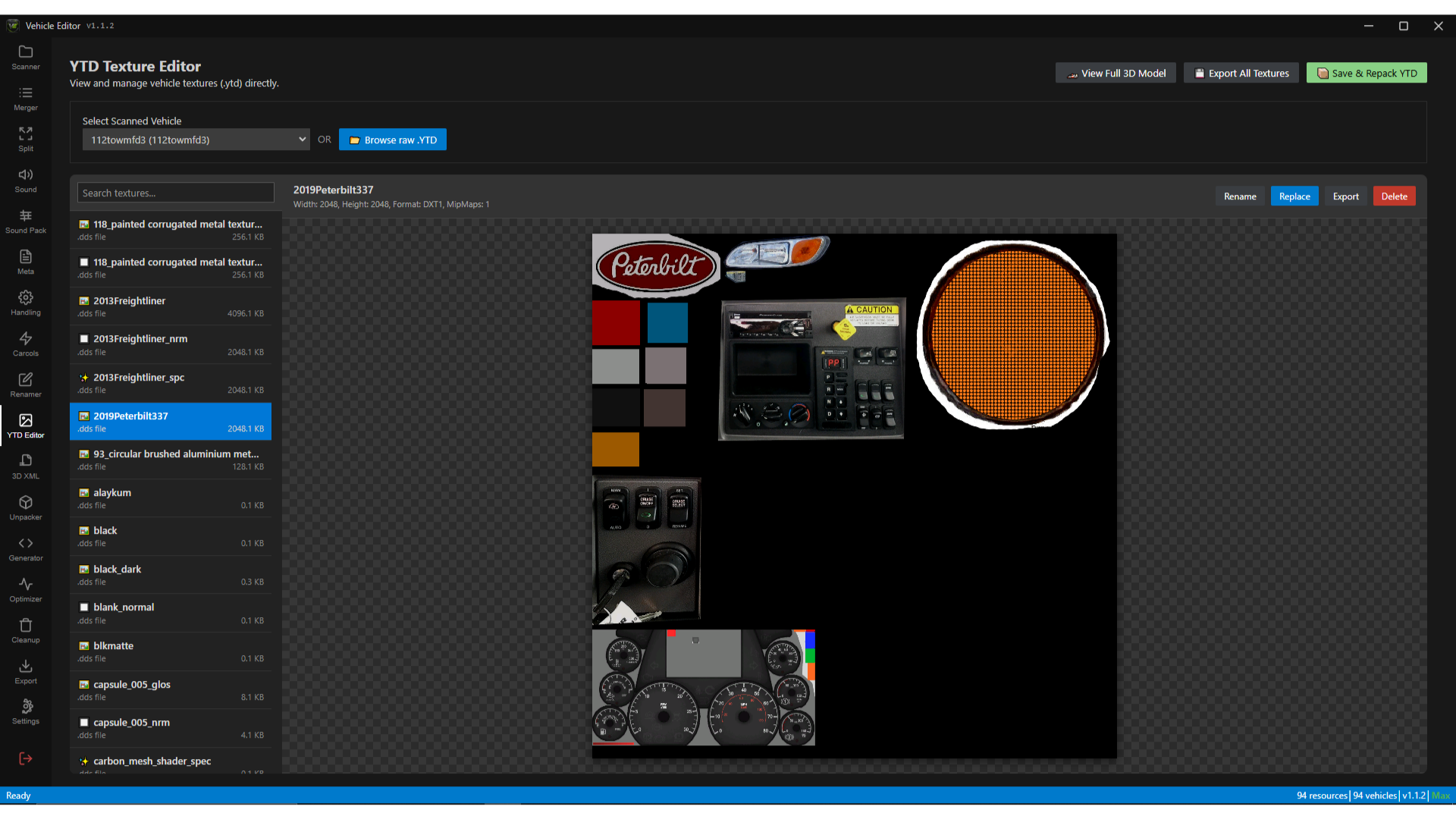
Preview, search, rename, replace, export, delete, and repack vehicle textures in one place.
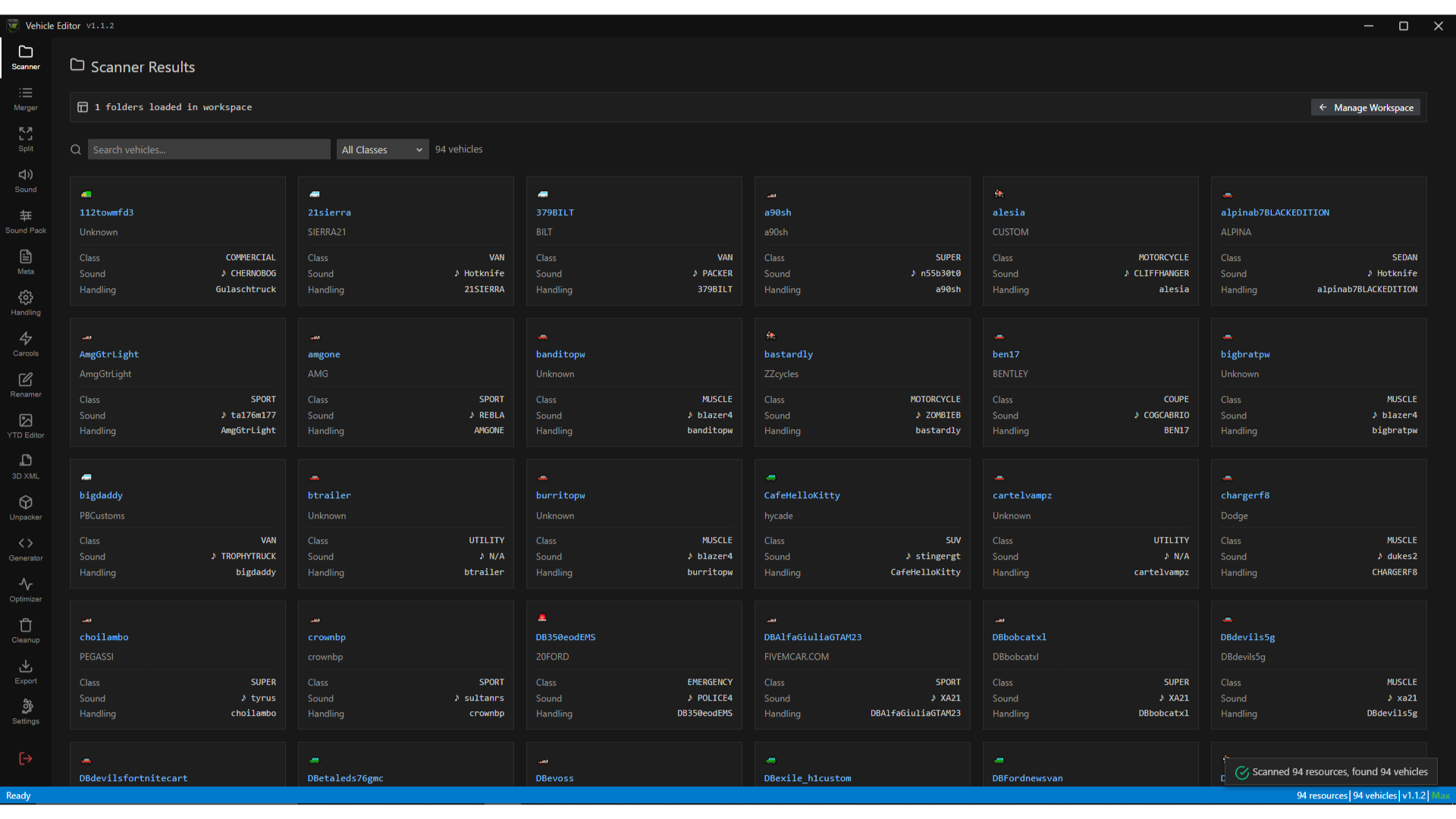
Load directories into a live workspace. Search by model name, filter by vehicle class, and jump straight to the files that need attention.
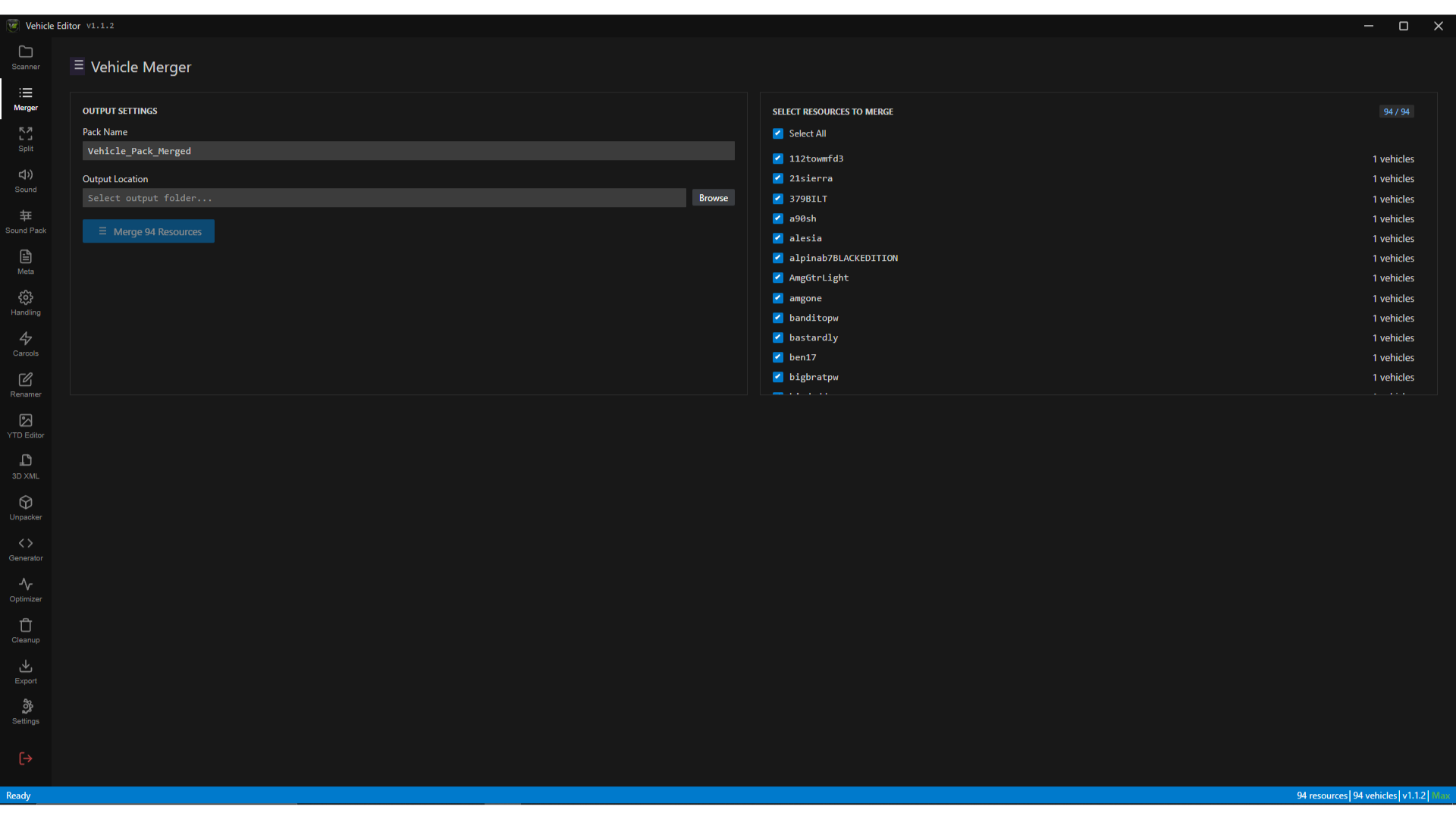
Build one clean vehicle resource from many sources, or generate standalone folders with their own data, stream, and fxmanifest.lua.
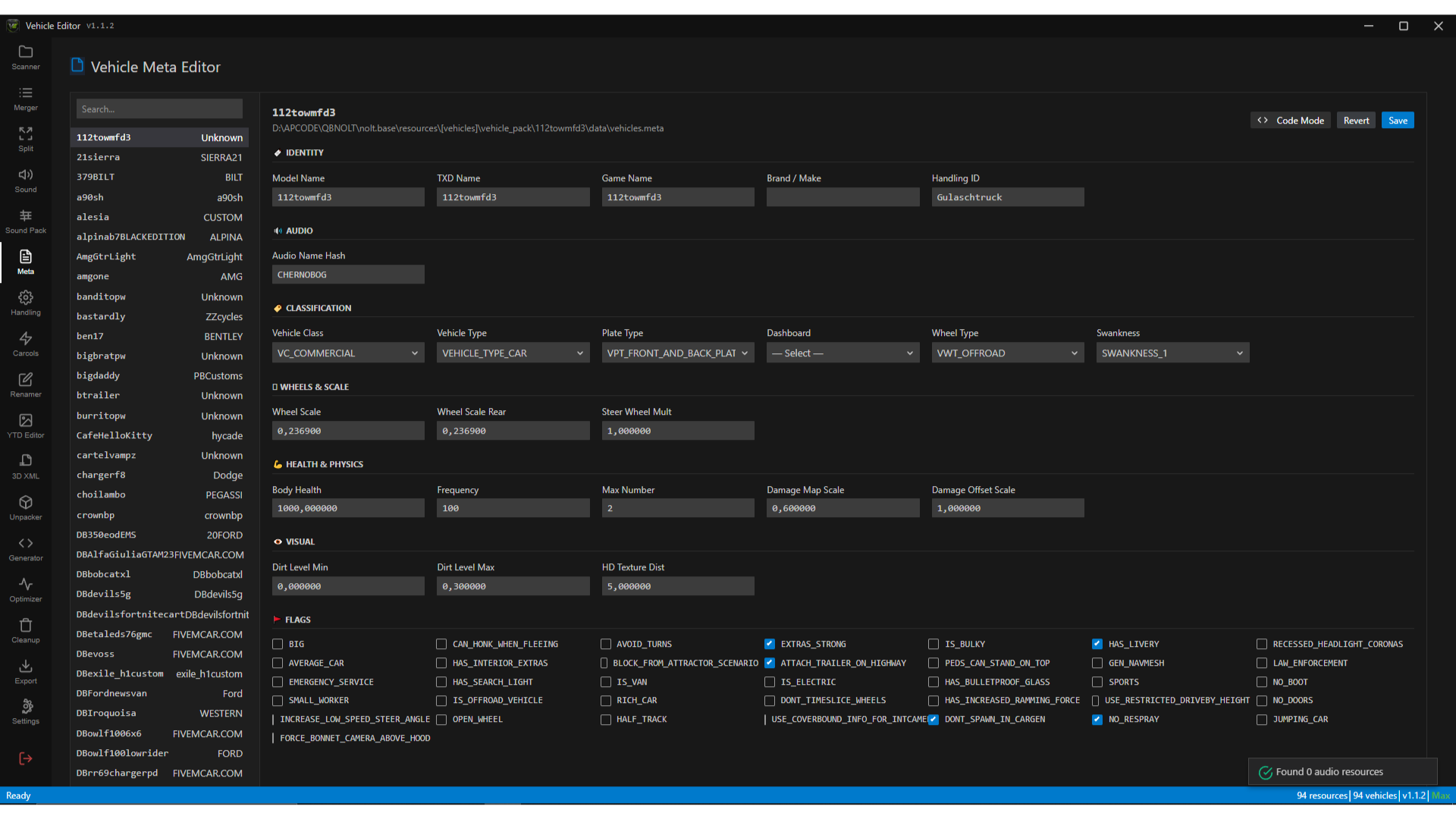
Edit vehicles.meta, handling.meta, carcols, and carvariations in visual fields — or switch to raw XML when you need exact control.
Identity, audio, classification, wheel scale, health, and other vehicles.meta fields.
Read the guideMass, power, speed, gears, traction, brakes, suspension, damage, fuel, and more.
Read the guideValidate raw XML and replace siren or modkit IDs across a file in one pass.
Read the guideApply an audio hash to selected vehicles and save the matching meta changes together.
Read the guidePreview, search, rename, replace, export, delete, and repack vehicle textures.
Read the guideInspect meshes, sync LOD deletes, remove badges or spoilers, and export UV templates.
Read the guideExtract dlc.rpf archives, including nested RPF content, into a FiveM-ready resource.
Read the guideGenerate QBCore shared/vehicles.lua or ESX SQL with configurable defaults.
Read the guideFind oversized stream files, reduce YTD resolution, remove junk, and update fxmanifest.lua.
Read the guideBuilt for real FiveM workflows
FiveM vehicle development often means moving between XML files, texture tools, model utilities, audio resources, and framework configuration. Vehicle Editor keeps those connected tasks in one local workspace while preserving access to the underlying files.
Inspect vehicle packs, fix metadata, standardize framework entries, and export clean resources before they reach production.
Work with YTD textures, YFT model XML, UV templates, audio references, and visual metadata fields from one workspace.
Merge, split, rename, clean, and optimize large vehicle collections without repeating the same manual file operations.
3D XML Editor
Inspect meshes, sync LOD deletes, remove badges, and export UV templates.
Common questions
5mdev Vehicle Editor is a local Windows application for scanning, editing, organizing, optimizing, and packaging FiveM vehicle resources. It brings common vehicle-development tasks into one guided workspace.
Its tools cover vehicles.meta, handling.meta, carcols.meta, carvariations.meta, fxmanifest.lua, YTD texture dictionaries, YFT model workflows, RPF archives, and engine-sound resources.
Yes. Vehicle Editor runs on Windows and works with resource folders on your computer. Back up source resources and validate exported files on a development server before production use.
Yes. The framework configuration generator can create QBCore shared/vehicles.lua entries and ESX SQL with configurable defaults for prices, categories, shops, and vehicle classes.
Claim early access now to receive permanent Founder's Access (Lifetime) for free.
Edit, optimize, merge, split, and package FiveM vehicle resources on Windows with visual tools for metadata, handling, YTD textures, YFT models, audio, and RPF archives.
Inspect meshes, sync LOD deletes, remove badges or spoilers, and export UV templates for liveries.
Preview, search, rename, replace, export, delete, and repack vehicle textures in one place.
Load directories into a live workspace. Search by model name, filter by vehicle class, and jump straight to the files that need attention.
Build one clean vehicle resource from many sources, or generate standalone folders with their own data, stream, and fxmanifest.lua.
Edit vehicles.meta, handling.meta, carcols, and carvariations in visual fields — or switch to raw XML when you need exact control.
Identity, audio, classification, wheel scale, health, and other vehicles.meta fields.
Read the guideMass, power, speed, gears, traction, brakes, suspension, damage, fuel, and more.
Read the guideValidate raw XML and replace siren or modkit IDs across a file in one pass.
Read the guideApply an audio hash to selected vehicles and save the matching meta changes together.
Read the guidePreview, search, rename, replace, export, delete, and repack vehicle textures.
Read the guideInspect meshes, sync LOD deletes, remove badges or spoilers, and export UV templates.
Read the guideExtract dlc.rpf archives, including nested RPF content, into a FiveM-ready resource.
Read the guideGenerate QBCore shared/vehicles.lua or ESX SQL with configurable defaults.
Read the guideFind oversized stream files, reduce YTD resolution, remove junk, and update fxmanifest.lua.
Read the guideBuilt for real FiveM workflows
FiveM vehicle development often means moving between XML files, texture tools, model utilities, audio resources, and framework configuration. Vehicle Editor keeps those connected tasks in one local workspace while preserving access to the underlying files.
Inspect vehicle packs, fix metadata, standardize framework entries, and export clean resources before they reach production.
Work with YTD textures, YFT model XML, UV templates, audio references, and visual metadata fields from one workspace.
Merge, split, rename, clean, and optimize large vehicle collections without repeating the same manual file operations.
3D XML Editor
Inspect meshes, sync LOD deletes, remove badges, and export UV templates.
Common questions
5mdev Vehicle Editor is a local Windows application for scanning, editing, organizing, optimizing, and packaging FiveM vehicle resources. It brings common vehicle-development tasks into one guided workspace.
Its tools cover vehicles.meta, handling.meta, carcols.meta, carvariations.meta, fxmanifest.lua, YTD texture dictionaries, YFT model workflows, RPF archives, and engine-sound resources.
Yes. Vehicle Editor runs on Windows and works with resource folders on your computer. Back up source resources and validate exported files on a development server before production use.
Yes. The framework configuration generator can create QBCore shared/vehicles.lua entries and ESX SQL with configurable defaults for prices, categories, shops, and vehicle classes.
Claim early access now to receive permanent Founder's Access (Lifetime) for free.